

Spam and virus protection
Spam is configured on three levels: globally at regfish, per domain and per account. The finest setting wins, so your account overrides both the domain and the default.
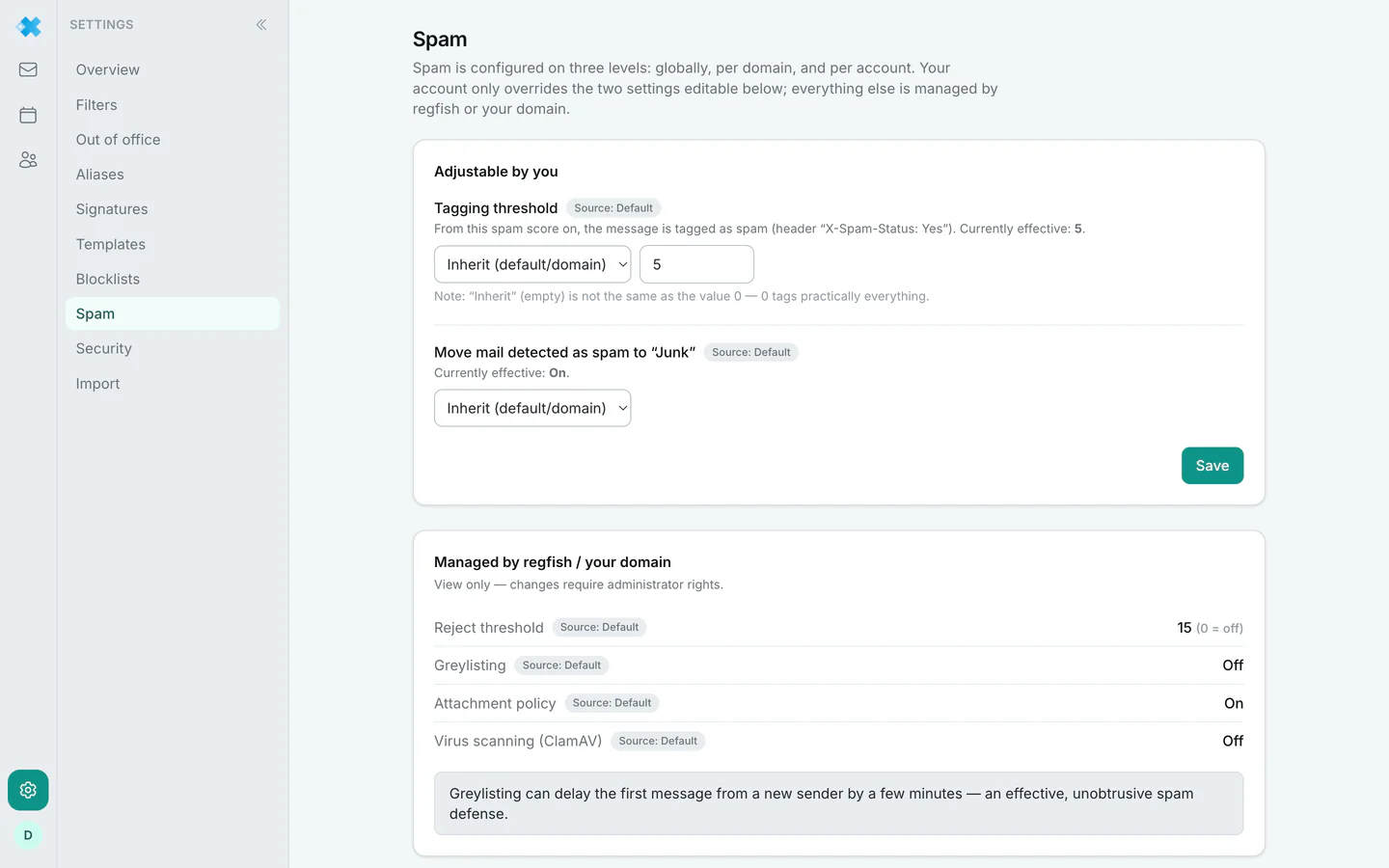
Which level is in effect is shown as the source next to each setting, with the values your account, domain or default. Beside it, Currently effective shows the value that actually applies.
What you set yourself
Section titled “What you set yourself”Tagging threshold. From this spam score upwards a message is marked as spam, technically through
the header X-Spam-Status: Yes. You can inherit or set your own value.
One note that is easy to miss and expensive to get wrong: inheriting (an empty field) is not the same as the value 0. A 0 marks practically every message as spam.
Move mail detected as spam to “Junk”. A switch. Off means the message is marked but stays in the inbox.
What regfish or your domain manages
Section titled “What regfish or your domain manages”You can see these values, but only administrators can change them:
| Setting | Meaning |
|---|---|
| Reject threshold | From this score the message is not accepted at all. 0 means off |
| Greylisting | Unknown senders have to retry delivery once |
| Attachment policy | Which attachments are allowed |
| Virus scan (ClamAV) | Check for malware |
The difference between the two thresholds matters: the tag threshold decides what lands in junk, the reject threshold decides what is accepted at all. What was rejected is not visible anywhere, not even in the junk folder.
Greylisting delays the first message from a new sender by a few minutes. That is not a fault but how it works: real mail servers retry, many spam senders do not.
Not to be confused: the mail check
Section titled “Not to be confused: the mail check”This page controls how your mailbox filters incoming mail. Whether your domain makes outgoing mail deliverable, meaning SPF, DKIM and DMARC, is checked by the mail check in the dash.