

Aliases
An alias is an additional address that delivers into the same mailbox. No second mailbox is created, and you need no second login.
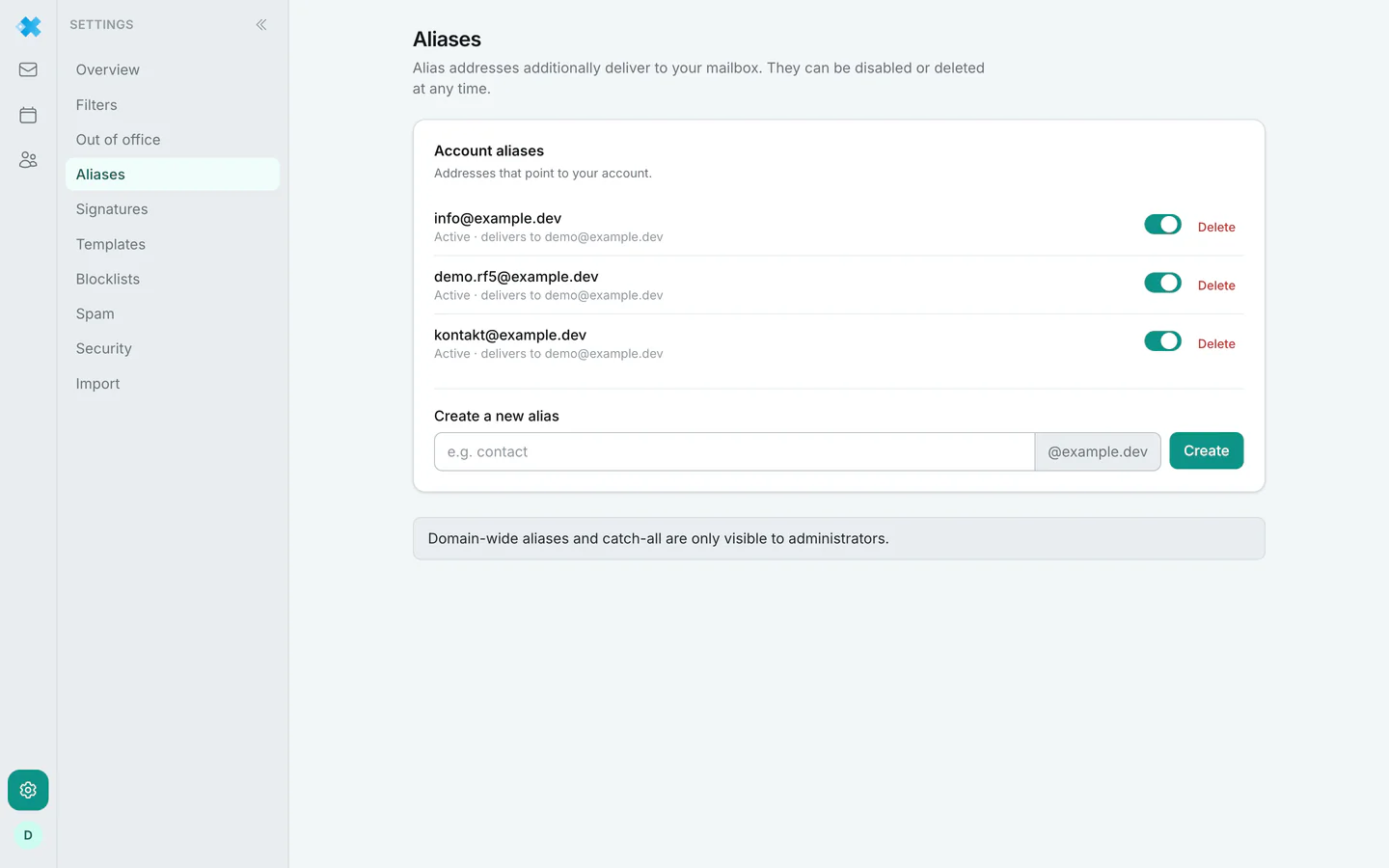
Creating and removing in the dash
Section titled “Creating and removing in the dash”An alias address belongs to the domain, not to a single mailbox. It is therefore created and removed by the owner of the regfish account in the dash, under the email packages. In webmail you see which addresses point at your mailbox, and you switch each one off and on again.
Switching off is the right move when an address should bring no mail for a while: it stays assigned and can be switched back on at any time. If it should go for good, the account owner removes it in the dash.
Three areas
Section titled “Three areas”Account aliases are the addresses pointing at your account. Each has a switch to turn it off and on again. If your plan limits the number of aliases, the page shows how many are in use.
Domain aliases are only displayed here. They are managed in the domain administration, not on this page.
Catch-all exceptions are the interesting part. A catch-all accepts every address of the domain, including invented ones. An exception defines which local parts are not delivered anyway. That is the remedy against spam to throwaway addresses that were entered somewhere once and have been pulling mail ever since. Unlike aliases, you create, switch off and remove exceptions right here as an administrator of the domain.
Relation to signatures
Section titled “Relation to signatures”An active alias can be turned into an identity, meaning a sender address with its own signature. See signatures.